TV buying guide for 2026 with screen size, panel and feature advice
Start with the room, not the specification sheet
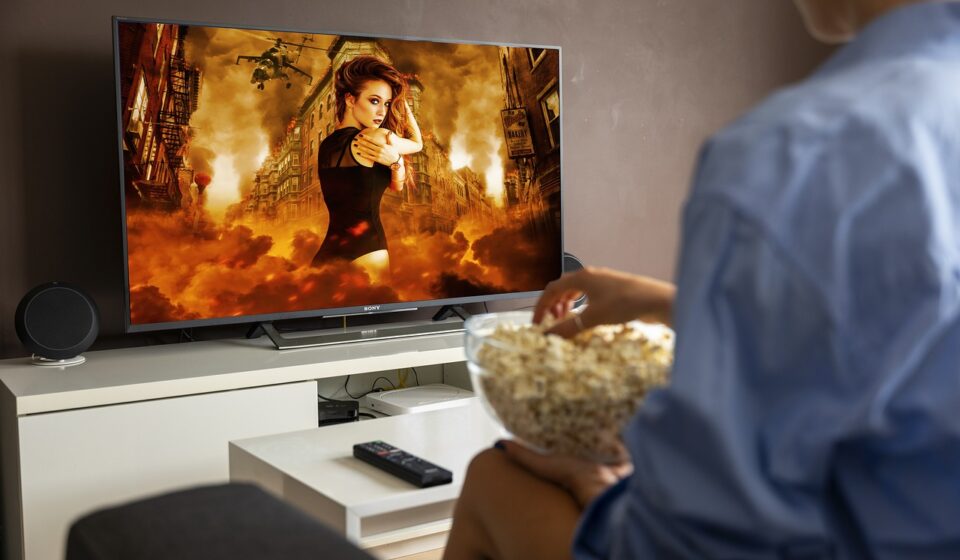
A useful tv buying guide starts with the room where the television will be used. For most buyers in 2026, the best choice is not automatically the most expensive model or the one with the longest feature list. It is usually a 4K TV that fits the viewing distance, is bright enough for the room, and has the ports, software and audio options needed for everyday viewing.
Choose OLED or QD-OLED when dark-room movie quality is the main priority. Choose Mini-LED LCD or a strong QLED LCD for bright family rooms, daytime sports or situations where static content may stay on screen for long periods. Gamers should confirm 4K at 120Hz, variable refresh rate, low input lag and enough full-feature HDMI ports before paying for a higher-tier model.
The first question is practical: will the TV mainly be used for streaming movies, live sports, console gaming, broadcast channels, background news, or a mix of everything? A movie-focused setup rewards contrast and black-level performance. Sports viewing rewards brightness, motion handling and viewing angles. Gaming depends on HDMI bandwidth and refresh-rate support. A kitchen, bedroom or rental unit may need reliable software and simple controls more than premium picture processing.
Room lighting can matter as much as panel type. A glossy OLED can look excellent at night but may struggle with window reflections in the afternoon. A bright Mini-LED LCD may be more comfortable in a sunlit family room. Before comparing model names, note the seating distance, window placement, wall width, cabinet size and whether a soundbar will sit below the screen.
Choose the right screen size and resolution
Screen size is where many buyers underbuy. Because 4K resolution has enough pixel density for normal living-room distances, a larger screen can look comfortable without appearing coarse. A practical starting point is to sit about 1.2 to 1.7 times the screen diagonal away from a 4K TV. This is a comfort range, not a fixed rule. Eyesight, content quality, room layout and personal preference all affect the right size.
| Screen size | Typical comfortable distance | Best fit |
|---|---|---|
| 43 to 50 inches | About 4.5 to 7 feet | Bedrooms, offices, small apartments |
| 55 inches | About 5.5 to 8 feet | Small living rooms and mixed use |
| 65 inches | About 6.5 to 9.5 feet | Most medium living rooms |
| 75 inches | About 7.5 to 11 feet | Larger rooms and sports viewing |
| 85 inches and above | About 8.5 feet or more | Home theater rooms and wide seating areas |
For resolution, 4K remains the practical choice for most households. It is widely supported by streaming services, game consoles, Blu-ray releases and TV interfaces. 8K TVs are available, but buyers should treat 8K as a premium niche unless they have a very large screen, sit unusually close, or specifically want the processing and build quality that may come with certain high-end models. The limited supply of native 8K entertainment content makes 8K less important than contrast, brightness, HDR quality and motion performance.
Compare OLED, QD-OLED, QLED and Mini-LED without the jargon
Panel labels can be confusing because they do not all describe the same part of the display system. OLED and QD-OLED are self-emissive technologies, which means the pixels create their own light. This allows excellent black levels and precise contrast because dark pixels can be turned off individually. The usual trade-offs are higher price, possible image retention concerns under heavy static use, and brightness limits that vary by model.
QLED is an LCD-based technology that uses quantum dots to improve color performance. It still depends on a backlight. Mini-LED is also LCD-based, but it uses many smaller backlight LEDs and local dimming zones to improve contrast. The best Mini-LED TVs can become very bright, which helps in daylight rooms and with HDR highlights. However, local dimming can sometimes create blooming around bright objects on dark backgrounds.
| Technology | Main strength | Watch for |
|---|---|---|
| OLED | Excellent black levels and contrast | Static-image habits, room brightness and price |
| QD-OLED | OLED contrast with strong color volume | Availability, screen finish and premium pricing |
| QLED LCD | Bright image and broad price range | Black levels depend on backlight quality |
| Mini-LED LCD | High brightness and improved local dimming | Blooming, viewing angles and processing quality |
The practical choice is room-based. OLED or QD-OLED is the stronger fit for movie nights, controlled lighting and viewers who value contrast above all else. Mini-LED is often better for bright rooms, daytime sports, family spaces and users who pause news tickers, fitness apps or game menus for long periods. A well-reviewed standard QLED LCD can make sense when budget and brightness matter more than premium contrast.
Check HDR, motion and gaming features before brand preference
HDR should make bright highlights brighter, dark scenes more detailed and colors more realistic. Format support alone does not guarantee strong HDR performance. A TV can list HDR10, Dolby Vision, HDR10+ or HLG and still look ordinary if it lacks enough brightness, contrast or dimming control. For HDR movies, prioritize real panel performance over logo count. In bright rooms, peak brightness and reflection handling become especially important.
Motion is another area where the specification sheet can mislead. A native 120Hz panel is useful for sports, premium streaming interfaces and modern gaming. Advertised motion interpolation numbers such as 240, 480 or higher are usually processing labels, not the same as native refresh rate. If sports are a priority, look for clean motion handling, minimal dirty-screen effect and viewing angles that support group seating.
For gaming, verify the exact HDMI capabilities instead of relying on a version number. Important features include:
- 4K at 120Hz support for PlayStation 5, Xbox Series X and gaming PCs.
- Variable refresh rate to reduce tearing when frame rates change.
- Auto low latency mode so the TV switches into a responsive game mode.
- Low input lag in game mode.
- eARC if a soundbar or AV receiver will handle high-quality audio.
- At least two full-feature HDMI inputs if more than one high-bandwidth device will be connected.
The HDMI Forum released HDMI 2.2 in 2025, including the Ultra96 cable designation for up to 96Gbps bandwidth. That may matter for future high-bandwidth devices, but most 2026 TV buyers should not chase HDMI 2.2 by name alone. A clear list of supported features on each HDMI port is more useful than a broad marketing label.
Do not overlook software, broadcast tuners and energy use
Smart TV software has a direct effect on daily use. A strong panel can still feel frustrating if the home screen is slow, the interface is crowded with recommendations, or key apps are missing. Check app availability, update history, remote layout, voice assistant preferences and whether the TV works comfortably with an external streaming box. Privacy settings are also worth reviewing during setup because many smart TVs include viewing-data options that can be turned off or limited. See also: BOX DESIGN.
Broadcast reception is a separate decision. In the United States, ATSC 3.0 is marketed as NEXTGEN TV and has continued to expand through voluntary market deployments. NAB reported on July 30, 2026 that service had reached all top 25 U.S. television markets, while ATSC lists A/300:2026 as a current system standard approved on April 14, 2026. Even so, buyers should check local station availability before paying extra for a built-in ATSC 3.0 tuner. Availability, encryption practices and channel support can vary by market.
Energy use also deserves attention, especially for large bright TVs. The Federal Trade Commission requires EnergyGuide labeling for televisions so shoppers can compare estimated energy consumption. ENERGY STAR criteria also address television power use, including low sleep-mode consumption for certified models. In practical terms, a bigger and brighter TV usually costs more to run, and high brightness settings can increase consumption. Check the label, then adjust the picture mode after setup; the brightest store mode is rarely the best home setting.
Check delivery, packaging and return details before paying
Large TVs are fragile, awkward to move and expensive to return. Before checkout, read the delivery method, return window, restocking policy and damage-reporting deadline. This matters most for 75-inch, 85-inch and larger screens, where the original carton may be required for safe returns. If the retailer offers room-of-choice delivery or scheduled freight delivery, the added cost may be worthwhile for oversized models.
When the TV arrives, inspect the packaging before signing if the carrier allows it. Look for crushed corners, punctures, water damage, broken straps or signs that the carton was laid flat against the handling instructions. Photograph visible damage, the shipping label and the serial number area before unboxing. Keep all foam, corner protectors, manuals and the box until the return window closes.
Unbox the TV with two people, especially for thin OLED and large Mini-LED models. Avoid pressing on the panel. Attach the stand on a soft, clean surface, confirm the screw positions and measure the furniture width before lifting. If wall mounting, check the VESA pattern, mount rating, stud placement and cable clearance. For more practical purchase checklists, see our buying guides.
Source note: Current standards and label references in this article reflect public information from the Federal Trade Commission, ENERGY STAR, the HDMI Forum, ATSC and NAB available by September 7, 2026.
Frequently asked questions
What is the most important TV feature to compare first?
Start with screen size, room brightness and main use. After that, compare panel type, HDR performance, refresh rate and HDMI features. A technically impressive TV can still be the wrong purchase if it is too small, too reflective or short on the ports needed for your devices.
Is OLED or Mini-LED better?
OLED is usually better for black levels, contrast and dark-room movie viewing. Mini-LED is often better for bright rooms, daytime sports and households worried about static images. The better choice depends on the room and viewing habits, not only on the technology label.
Is an 8K TV worth buying in 2026?
For most buyers, 4K is the more practical value. An 8K TV may make sense at very large screen sizes or when it comes with other premium processing and build advantages, but native 8K content remains limited. Spend first on contrast, brightness, motion and size.
How many HDMI ports should a new TV have?
A basic setup may be fine with three HDMI ports. A gaming or home theater setup should look for at least four, with enough full-feature ports for consoles, a PC, a streaming device and eARC audio. Always check which ports support 4K at 120Hz, VRR and eARC.
Should I pay extra for NEXTGEN TV or ATSC 3.0?
It can be useful if you watch over-the-air channels and live in a supported market. It is less important if all viewing comes from cable, satellite or streaming apps. Because deployment and channel support vary, check local availability before treating it as a must-have feature.